Introduction
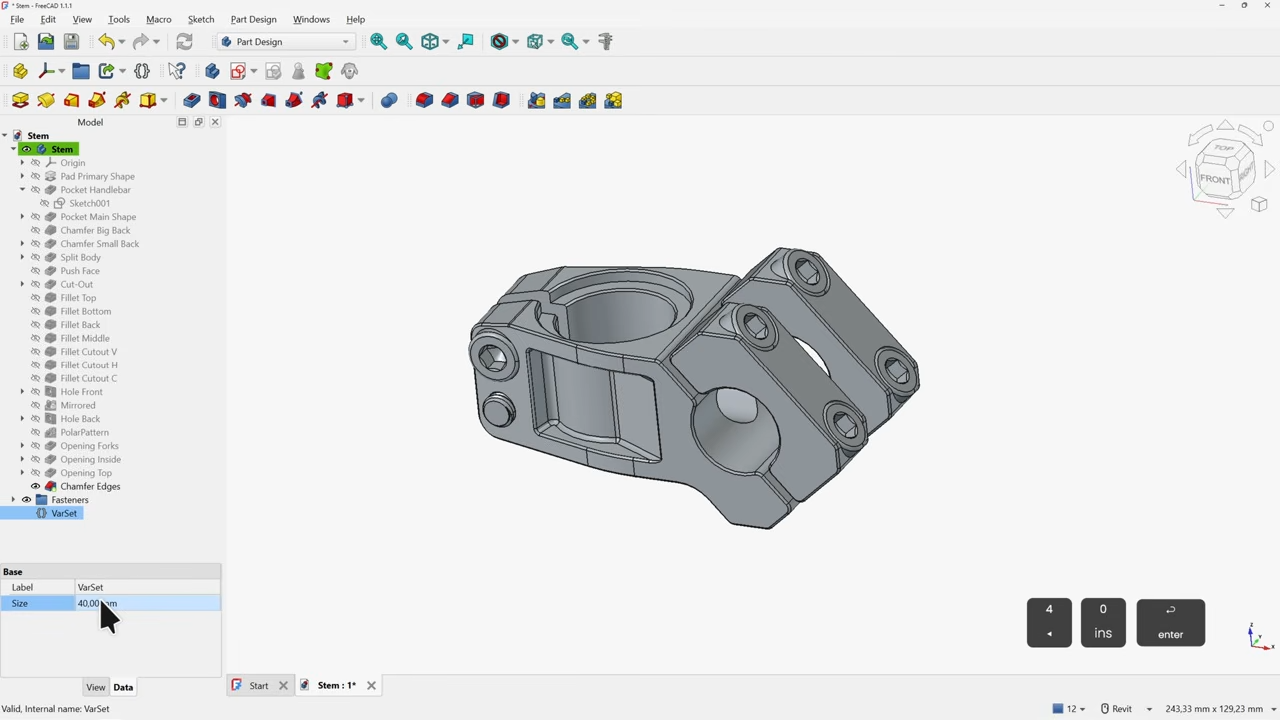
If you've ever felt intimidated by FreeCAD's sprawling capabilities, you're not alone. The open-source parametric 3D modeler offers immense power, but finding a starting point that respects your time and skill level can be challenging. Fortunately, a new tutorial by Deltahedra bridges that gap perfectly. Tailored for FreeCAD 1.1, the latest stable release, this guide walks you through modeling a 3D part from scratch while adhering to best engineering practices. It assumes no prior knowledge and delivers a concise, meaningful workflow—exactly what beginners need.
Why This Tutorial Stands Out
FreeCAD can do a lot, which is why a focused tutorial is invaluable. Deltahedra narrows the scope to the Part Design workbench—the most intuitive for creating mechanical parts. The tutorial is exclusively for FreeCAD 1.1, so every button, menu, and feature you see on screen matches the video exactly. No frustrating version mismatches, no hunting for commands that moved in a previous update. This version-specific approach ensures you can follow along without confusion.
Navigating the Interface with Ease
Many tutorials jump straight into modeling, but Deltahedra takes a few minutes to explain the interface. This courtesy helps newcomers orient themselves: where to find the combo view, how to switch workbenches, and how to set up the 3D viewport. Understanding these basics first makes subsequent steps feel natural rather than overwhelming.
Step-by-Step Part Design Workflow
The tutorial demonstrates building a part from a simple sketch to a finished solid. Key steps include:
- Creating a sketch on a plane and applying constraints.
- Using Pad, Pocket, and Revolve operations to add or remove material.
- Adding fillets and chamfers for realistic geometry.
- Renaming features for clarity.
Each operation is shown clearly, with the cursor visible and narration explaining why a particular step is done. This is far more helpful than just showing what to click.
Common Mistakes and How to Fix Them
A highlight of the tutorial is its coverage of pitfalls. For example, you'll learn what happens when constraints conflict or the solver fails. Deltahedra demonstrates how to diagnose these issues and repair the sketch or feature without starting over. Tips include:
- Using the dependency graph to spot broken links.
- Adjusting sketch constraints to avoid over-constraining.
- Using Part Design validation tools.
These skills are crucial for anyone who wants to model reliably.
Best Engineering Practices
Best practices are not arbitrary rules—they make modeling easier and models more robust. Deltahedra shows how to:
- Keep sketches simple—one sketch per feature, when possible.
- Use external geometry references sparingly to avoid fragile models.
- Name features consistently for easy editing later.
- Apply dimensional constraints logically so the model updates cleanly.
For additional perspective, check out Arya Voronova's own compilation of FreeCAD best practices—a complementary resource that deepens your understanding.
Why Version 1.1 Matters
FreeCAD evolves rapidly, and using the latest stable version ensures you benefit from bug fixes and interface improvements. The tutorial's version alignment means no visual surprises or missing tools. It's a small detail that makes a big difference for beginners. As Deltahedra notes, you can trust that every screen capture matches what you see—no need to guess what a different icon might mean.
Conclusion
With Deltahedra's tutorial, you'll be confidently wielding FreeCAD in no time. The clear, version-specific instruction combined with practical demonstrations of common errors gives you a solid foundation. Once you master the Part Design workflow, you're ready to explore FreeCAD's other workbenches—Sketcher, TechDraw, Assembly, and more. Start with this guide, and you'll build not just 3D parts, but also the skills and mindset for efficient parametric modeling.
Special thanks to Vik Olliver for the tip!