Overview
You’ve likely encountered web editors that use a block-based approach—a little plus button that reveals a menu of content types like paragraphs, images, or videos. From WordPress to Notion, this interface has become ubiquitous. But despite the surface similarity, each platform implements blocks in its own proprietary way. This means if you want a Kanban board block in your custom editor, you have to build it from scratch—even if someone already built a great one for another system.
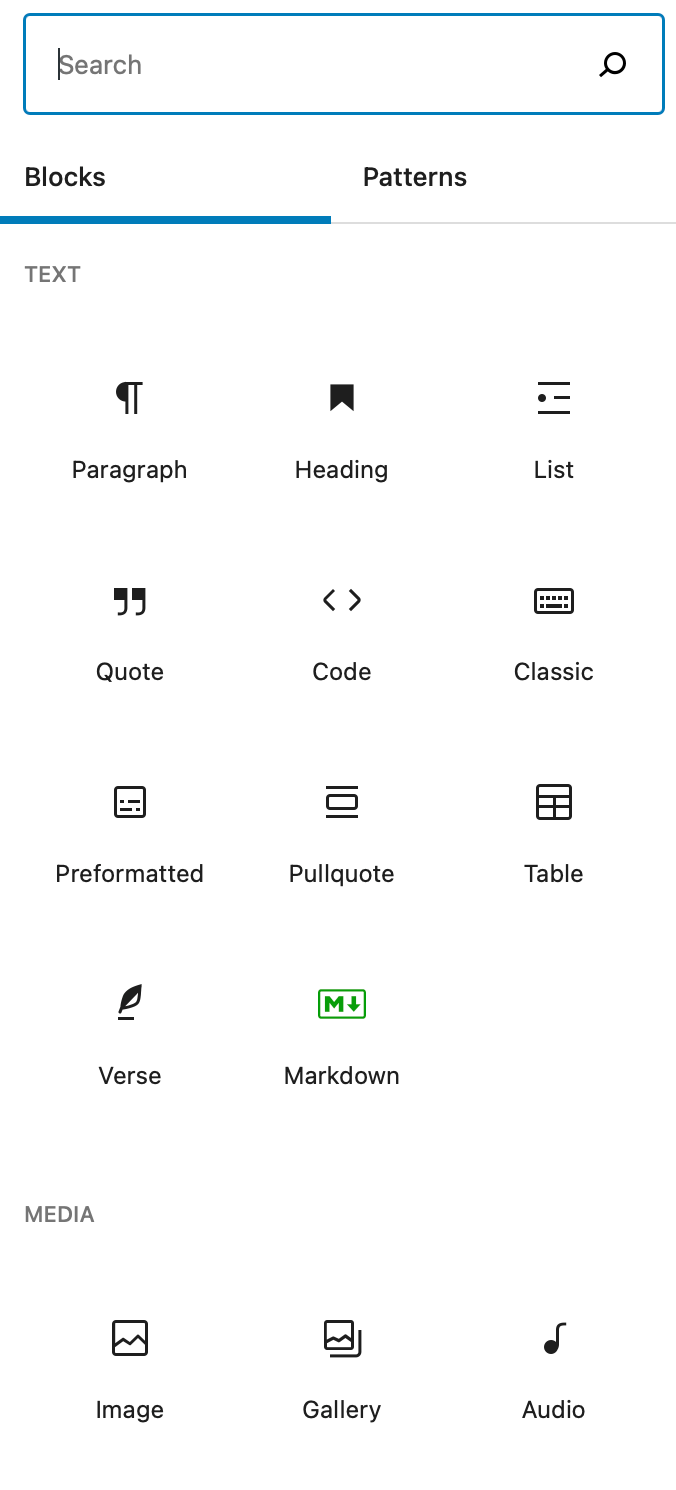
The Block Protocol aims to change that by providing a free, open, non-proprietary standard that lets any block work in any hosting application. Whether you’re a developer building a note-taking app or someone creating a specialized block, the protocol makes blocks truly interchangeable. This guide walks you through the protocol’s core concepts and shows you how to implement it in your own projects.
Prerequisites
Before diving into the Block Protocol, you should be comfortable with:
- HTML, CSS, and JavaScript – Basic web development skills are essential.
- Iframes and postMessage – The protocol relies on iframe-based isolation and communication via
window.postMessage. - JSON – Block data and configurations are exchanged as JSON objects.
- Git and a code editor – For cloning sample repos and writing code.
No prior experience with the Block Protocol is needed—we’ll start from the ground up.
Step-by-Step Instructions
1. Understanding the Block Protocol Basics
The protocol defines two roles: a block host (the editor or app that embeds blocks) and a block (the embedded content). Communication happens via a standardized message API. Blocks live inside iframes to guarantee isolation and security.
Every block must:
- Respond to a
"getBlockSchema"message with its JSON schema describing the data it expects. - Accept
"updateBlockData"messages to receive new content. - Send
"blockDataUpdated"messages back when the user changes the data.
2. Creating a Simple Block
Let’s build a basic note block that displays and edits a text string.
- Create an HTML file for the block (
note-block.html). Inside, include an<textarea>element. - Add a script that listens for messages from the host:
// Inside block's iframe
window.addEventListener('message', (event) => {
  const { type, data } = event.data;
  if (type === 'updateBlockData') {
    document.querySelector('textarea').value = data.text || '';
  }
});
- When the user types, send an update back to the host:
const textarea = document.querySelector('textarea');
textarea.addEventListener('input', () => {
  window.parent.postMessage({
    type: 'blockDataUpdated',
    data: { text: textarea.value }
  }, '*');
});
- Provide the block schema by responding to a
"getBlockSchema"message:
window.addEventListener('message', (event) => {
  if (event.data.type === 'getBlockSchema') {
    event.source.postMessage({
      type: 'blockSchema',
      schema: {
        type: 'object',
        properties: {
          text: { type: 'string', description: 'The note content' }
        }
      }
    }, event.origin);
  }
});
That’s the core of a block! It’s rendered in an iframe, receives data, and reports changes.
3. Integrating Blocks into Your Editor (Block Host)
Now let’s turn your editor into a block host. The host is responsible for adding iframes that load block URLs and exchanging messages.
- Create a container element for each block instance.
- Inject an iframe pointing to the block’s URL (
/blocks/note-block.html). - When the iframe loads, send a
"updateBlockData"message with initial data:
const iframe = document.createElement('iframe');
iframe.src = '/blocks/note-block.html';
iframe.onload = () => {
  iframe.contentWindow.postMessage({
    type: 'updateBlockData',
    data: { text: 'Hello, Block Protocol!' }
  }, '*');
};
document.getElementById('editor').appendChild(iframe);
- Listen for
"blockDataUpdated"to capture user changes:
window.addEventListener('message', (event) => {
  if (event.data.type === 'blockDataUpdated') {
    // Save data to your application state
    saveBlockData(event.source.frameElement.id, event.data.data);
  }
});
Security note: Always check event.origin against your expected block domain to prevent malicious scripts.

4. Testing and Publishing Your Block
Test your block by loading it in an editor that supports the protocol (e.g., the official Block Protocol playground). Once working, publish the block’s HTML, CSS, and JS files on a public URL. Register it in an open-source block library so others can discover and reuse it.
Common Mistakes
- Ignoring the
event.origincheck – This opens security holes. Always validate the origin in your message handlers. - Sending
"blockDataUpdated"on every keystroke without throttling – This can flood the host. Use debouncing or only send on blur. - Not responding to
"getBlockSchema"– Without a schema, the host doesn’t know what data the block expects. - Hardcoding block data instead of using dynamic messages – Blocks must react to
"updateBlockData"from the host, not just read from a static source. - Assuming the iframe’s window is available immediately – Wait for the
loadevent before sending messages.
Summary
The Block Protocol makes blocks truly portable across the web. By following a simple message-passing standard, any block can work in any compatible editor. In this guide, you learned the protocol’s core mechanics, built a minimal note block, and integrated it into a host application. The result: users can enjoy a rich ecosystem of blocks without waiting for each platform to reimplement them.
To go further, contribute to the open-source community by adding blocks to the shared library, or extend your editor to support complex block types. The protocol is still evolving—your feedback and contributions help shape the future of interoperable web content.